
Making the most of Squarespace Marketing Options

Have you been thinking about how you can pivot your business during this time? Pivot your product, like O'Neill's the sportswear company who are now making protective gear for frontline workers. Or Ryanair who are now working with EU governments to operate rescue and medical flights. You can also think about pivoting your pricing, your target market, the platforms you are using to sell and promote your services etc. The important thing is to keep in mind is 'who can I help and how can I help them?'
I thought it would be helpful to remind you how you can announce changes or new offerings on your Squarespace website. Or maybe you have a new, free download for your customers. You have various options for where to place your promotions on your website:
1. An announcement bar
This is the one you probably use the most. If you don't, here's how it works. An announcement bar is a coloured bar that shows at the very top of your website. It’s often a bright colour to grab attention, and contains a short amount of text with no images. The announcement bar can be made clickable so you can click through to the promo.
What to promote on it:
Promote a freebie “Click here to download my free guide!”
Notify of enrolment being open for a course “The cart is open for our course — Enrol now!”
Notify of something ending soon “Giveaway ends in 24 hours — enter now!”
A countdown for something important
How to add it in Squarespace:
Go to Marketing > Announcement Bar > Enable Announcement Bar and enter your text and links. Click Save when you’re done.
2. A Pop-Up
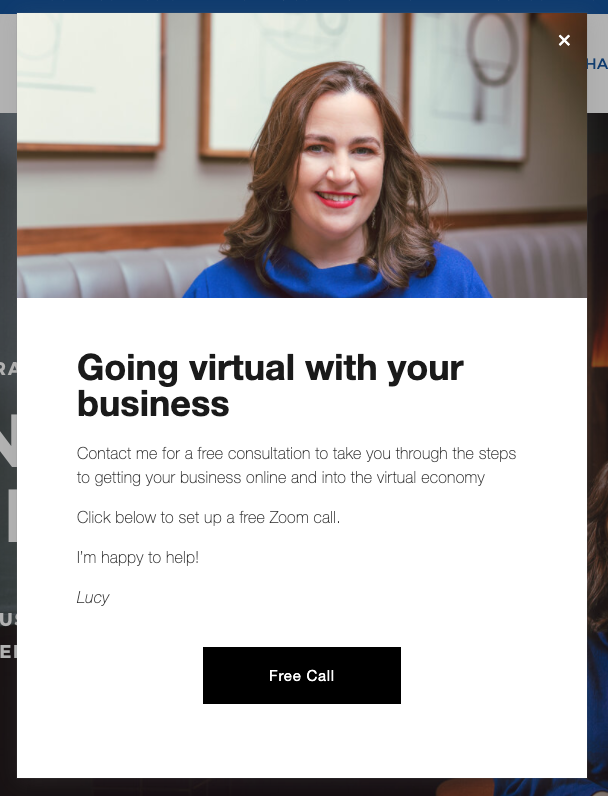
Everybody knows what a pop-up is, and honestly, they have a pretty bad reputation. However, pop-ups are coming back, this time usually with a good offer or something really useful for the reader.
The Pop-Up menu is right beside the Announcement Bar menu in the Marketing menu. You have various layout options and you can programme the pop-up to appear on all pages/certain pages, after a certain amount of time that the person is on the site and so on.
What should I promote on it?
Promote a freebie “Click here to download my free guide!”, “Join my free course ”
I wouldn’t recommend a pop-up to promote a product, because they’re a bit too salesy and in your face. So, I think you should only use pop-ups for free offers or downloadsTo notify of a current sale, promo or discount code.
How to add it?
Go to Marketing > Promotional Popup > Go though all of the settings and enter your details and style your Pop-up. Then once you’re all finished click Display Pop Up and then Save.
3. Your Footer
Your footer is really valuable real web estate. Although it’s at the very bottom of every page it’s also usually the only real consistent section of your website. Meaning that whatever you put into your footer will likely be displayed on every single page!
4. Your blog
You can also add your promos into your blog posts! I like this method because they can be more targeted and can be much more specific to that particular post topic.
Create a free download that is specifically related to that blog post, and put it in the blog post to download.
What should you promote in your blogpost?
A free offer that’s somehow related to the blog post
A paid offer or product that is related to the blog post that will benefit your reader
How to add it in Squarespace:
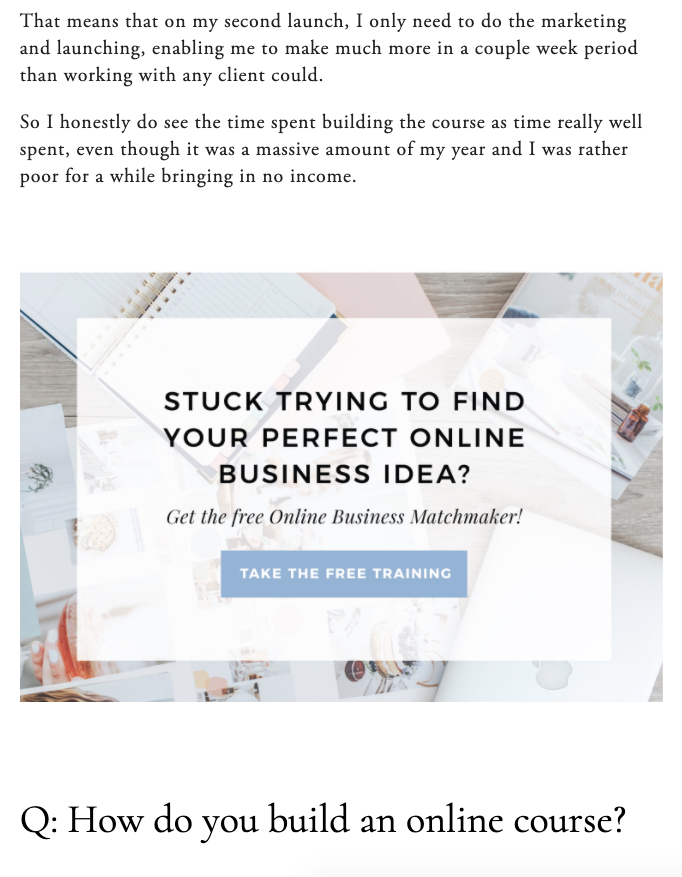
You could add a clickable image to your opt-in (like the one below) or you could even just add a form for your site visitors to opt-in and download right then and there.
TIP: I recommend not adding it too far down the page, you’re more likely to get clicks if it’s further up in the blog post!
Here's an example of a promotion within a blog post from on-line course guru Paige Brunton:
Now you know some of the best places to promote your offers and how to implement them. I hope you found this useful.
