
What are Pipelines in Kajabi and how do I create one?

One of the standout features of Kajabi is its ability to help you map out your marketing activities in such a way that you can automate lots of processes. What do I mean by this? Well, as all successful course creators will tell you, it’s not a case of ‘build it and they will come.’ To sell your course you need to invest in your marketing, building your audience of potential course-buyers. There are numerous ways of doing this and with Kajabi pipelines you can automate the journey that your prospective buyers will take between the first time they hear about you to the moment they click Pay Now at your course checkout.
What exactly are Kajabi Pipelines?
A pipeline in Kajabi is a series of webpages and emails (usually) that are all connected and which map out the steps in your marketing process. The aim is to design a seamless user experience to encourage your audience to see the value you offer and provide them with the opportunity to access that value.
Pipelines are created in the Marketing menu in Kajabi where you will be able to visualize the path or pipeline you are going to create.

Kajabi offers templates or blueprints of pipelines of landing pages and emails to get you started. These are all editable, in the same way you edit your other Kajabi pages.
‘But what IS a pipeline? When do I use a pipeline?’ I hear you ask!
Ok, so let’s say you want to offer a free download as a lead magnet to your audience. This is what Kajabi calls a Freebie Pipeline and this pipeline has three steps:
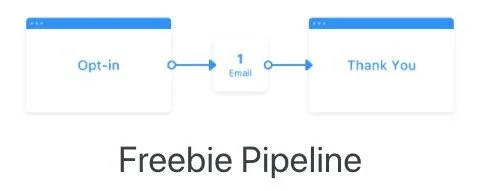
Step 1: A Landing page with a form to opt-in for the free download
Step 2: An email delivering the freebie
Step 3: A Thank You page
This pipeline is great for getting started with building your email list. The most important aspect is the value you provide with your free download. If you provide value, the person who downloads it is more likely to want more of that value from you. Note that this pipeline does not try to sell anything, it is purely providing value, a taster of what you offer.
Why do I need to use a Pipeline, can I not just use an opt-in on my website which then triggers the email with the free download?
You can offer free lead magnets off your website pages in Kajabi, connected to thank you pages and emails. The reason you might use a Pipeline instead is that the Pipeline Landing page is not typically part of your website in that it has no header, no footer, nowhere else for the audience to go, no distractions or other links to click. The goal is to get them to opt in to your email list to get the freebie, nothing else. You can link to this landing page from anywhere on your website, of course, but you an also link to it from your email newsletter, your social media, your advertising campaigns. It stands alone from your site but of course is beautifully on-brand and consistent with the rest of your site and marketing materials.
Another example of a pipeline is a Sales Pipeline or what Kajabi calls a Sales Page OVO Pipeline. OVO stands for Opt-In, Value, Offer.
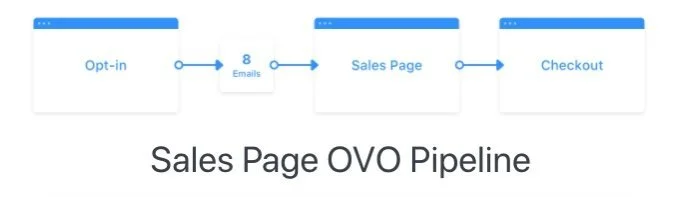
The Sales Pipeline, like the Freebie Pipeline, offers something for free to your audience but doesn’t stop there. The Sales Pipeline steps end with a Checkout Page where you invite your audience to buy. The steps look something like this:
Step 1: A Landing page with a form to opt-in for the free download
Step 2: A series of emails, the first of which delivers the free download. The subsequent emails must also provide ongoing value to the audience who has received the free download.
Step 3: The final email in the series leads the prospect to a Thank You Page which also acts as a Sales Page, focusing on value and ultimately offering the audience the option to buy the course you are selling.
Step 4: A Checkout Page where the audience can purchase your course
Kajabi also offers a template for what it calls its Product Launch OVO Pipeline.

This too starts with an opt-in for a freebie of some description. Note this is always the first step in these marketing pipelines – offer something for free in return for an email address. Then, once you have the email address you set up your pipeline of communications with that person to lead them to an eventual sale.
The Product Launch OVO Pipeline suggest three sequential Value pages over the coming days or weeks after your audience opts-in. Each Value page contains a simple layout to emphasize the Value you provide with simply a headline and a video to explain your Value and how it will benefit them. Your Value pages link to the Checkout Page for the Offer you discuss in your Value pages. An automated email sequence in between each Value page encourages your audience to take the next step in the pipeline of Value pages.
What if I want to do a free webinar to promote my course, is there a Kajabi Pipeline for this?
Yes, there is a Kajabi Pipeline template for webinars. They call it the Zoom Webinar OVO Pipeline and it looks something like this:
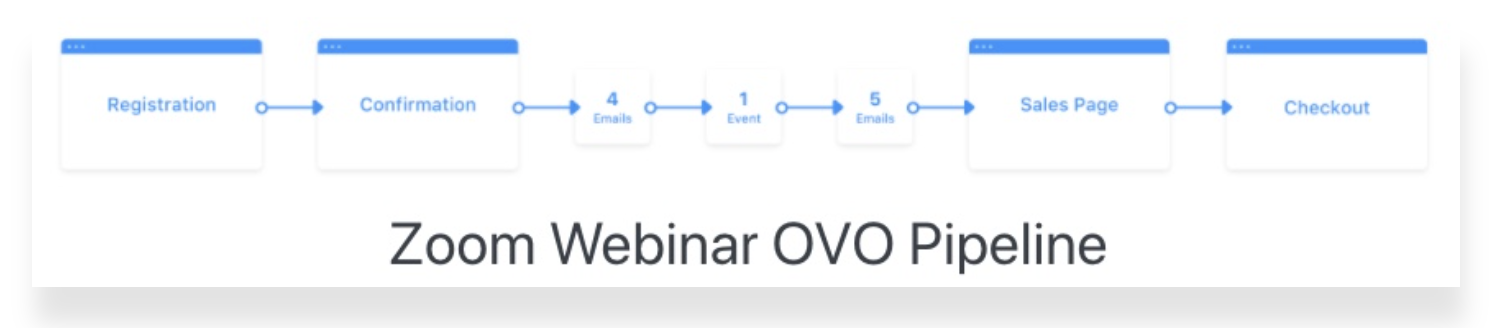
Step 1: A registration page where your audience signs up for the webinar (you therefore capture their email address at this point). This is not a Sales Page complete with multiple sections, FAQs etc, it is a short page with the Webinar details, some info on what you will be teaching in the webinar and the value you will provide/why they should register. The Kajabi Registration Page template in the Zoom Webinar OVO Pipeline offers text prompts for you to update with your own webinar details.
Step 2: Once your audience has registered for the webinar, they will be automatically taken to a Confirmation page with the date and time of the webinar. You might want to include the Countdown timer block here that Kajabi suggests, or you can delete it.
Step 3: A series of automated emails (the Kajabi template suggests 9) that you send to those who have registered for the webinar before and after the webinar takes place. The first 4 emails are reminders about the webinar with the 4th perhaps sent an hour before the webinar takes place, with a link to Zoom or whatever platform you are using to host the webinar. The other 5 emails are sent after the webinar with a link to your Sales Page.
The webinar is where you provide value to your audience. Yes, there is a sales aspect to the webinar but most of it is about giving so much value to your registrants that they are eager to hear more – and therefore can’t wait to sign up for your course. There is an art to these webinars and you might find it difficult the first time to avoid being salesy or you might get to engrossed in your subject matter that you forget to ask for the sale at all! But rest assured, your audience on the webinar know that you are going to try and sell them something at some point, so don’t be afraid to promote your course towards the end of the webinar. If you have provided 45-50 minutes of amazing free value that your audience can take away and implement in their own lives they will not begrudge you ten minutes of sales pitch at the end. The goal is to have them begging for more!
Step 4: At the end of your Webinar, you can pitch your course to your Webinar attendees. They will then be led (via a link in the webinar chat, for example) to a sales page to encourage them to purchase your course. They will also receive an email after the webinar containing the direct link to the Checkout Page for your Offer.
So, as you can see, this Pipeline is packed with pages and emails. The Kajabi template or blueprint as they call it, contains pre-written copy to help get your Webinar Pipeline up and running in no time!
Are there any other Kajabi Pipeline templates?
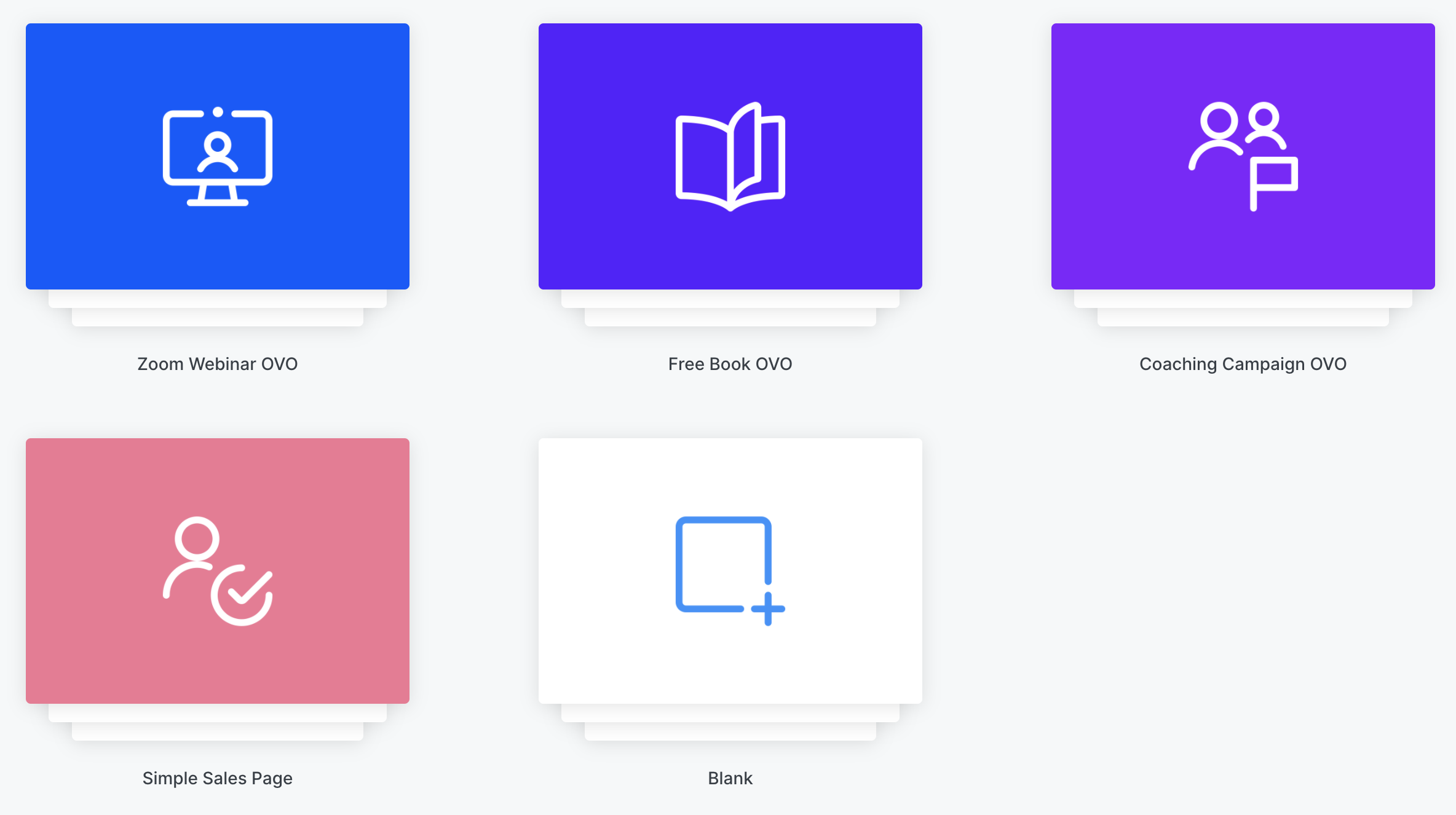
Yes, there are a couple of other Pipeline templates you can follow. There’s the Free Book OVO if you plan to offer a free book as a lead magnet and a Coaching Campaign OVO. You can read more about these here.
Do I have to follow the Kajabi templates or Pipeline Blueprints? Can I create my own?
Absolutely you can create your own. When you go to Marketing - Pipelines - Create Pipeline, the system offers you the pre-built pipelines but there is also a Blank pipeline option where you can build your own:
Before you get started building any pipeline in Kajabi, I recommend you map out each step before on a piece of paper (showing my age here!). Know what images and copy you need for the pages, what copy you are going to use (you can use Kajabi’s suggestions but you’ll probably want to tweak it to match your own language and tone of voice). If you prepare everything in advance, it will make the process much quicker when you get into Kajabi. Remember to keep everything on-brand, using your fonts, colours and imagery associated with your business and the course. Don’t simply change the text for your own and leave the rest as it is in Kajabi- stay on brand and make your pages as professional as possible.
If you need help setting up your Kajabi pipelines, please get in touch.
